
Guide
Guide to Claiming Land
In order to protect your new piece of land you have found on the CozySMP, you will want to claim some land to mark it as your own and prevent unwanted visitors from building and taking stuff from it. In this Guide to Claiming Land, everything from basic claiming to advanced subdivisions to become a mayor will be covered.
[TOC]
What is a Claim?
In essence, a "claim" is a square region of land that is marked in your name on the server, which, by default, other players cannot build, break or pillage within. Dogcraft uses a plugin called GriefPrevention to do this. Claims have some other properties, too. Creeper and Wither explosions, Endermen block moving and TNT will not work by default within claims and even fluids such as water and lava cannot flow from outside to inside a claim.
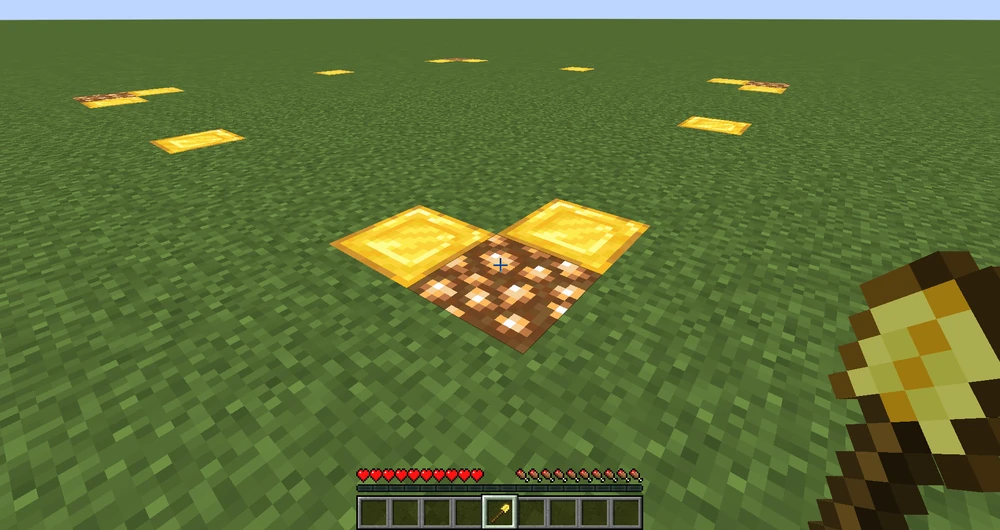
Claims work on a system of "Claim Blocks", of which you earn 100 (@TOOD: Need confirmation) of every hour (capping at 10k) and can purchase more from the CozySMP store or earned from crate rewards/partypond. Each square block in a claim you make uses one of your claim blocks. This means that claims can only be of finite size. In-game, claims are visualized by temporary markings of gold and glowstone that are only temporary and cannot be mined.
Creating Claims
When you first join you will receive a "New Claim" kit which includes an [item:Golden Shovel:14] (Claim Tool!) and a [item:Stick:14] (Land Inspector Tool!) If you lost your kit you can use any [item:Golden Shovel:14] or claim a new kit with [command:kit New Claim]
Step One: Hold out your [item:Golden Shovel:14] in your Main Hand and Right-Click on the ground where you want the first corner of your claim to be.
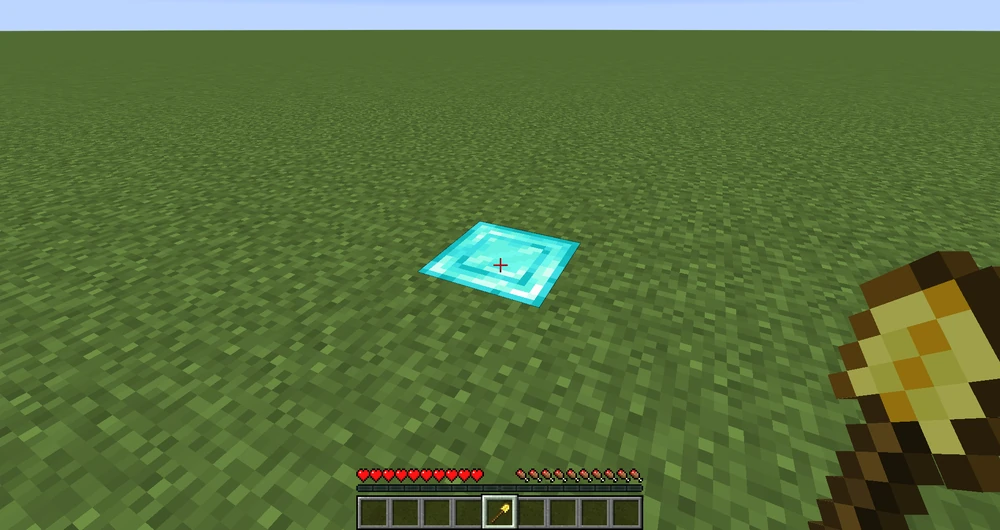
Step Two: While continuing to hold the [item:Golden Shovel:14] in your hand, walk over to the spot you want the second corner of your claim and Right Click it. Note that claims have to be over 100 square blocks in size. (10x10+ or equivalent)
Trusting Players
By default, nobody will be able to build or do anything on your claim. If you want to add someone to a claim, however, there's a set of tools you can use to do so giving various levels of access.
- Access Trust - Lets the player interact with buttons, levers and doors and set a home with /sethome, but not access containers and chests. [command:accesstrust player]
- Container Trust - Lets the player use chests and containers, from hoppers and droppers to shulkers and furnaces, as well all permissions from access trust. [command:containertrust player]
- Build Trust - Lets the player place and break things inside the claim, as well as all permissions from container and access trust. [command:trust player]
- Permission Trust - Lets the player trust other players to the claim. However, this is separate from other trust levels. Players with permission trust can only trust other players to their level of trust (e.g: If a player has container trust and permission trust, then the player is able to give other players container trust but not build Trust). Players with permission trust are not able to give other players permission trust. [command:permissiontrust player]