Guide
Artmap
Before Artmap came map art. This is where you place blocks in a 128x128 area to make a design, and then create a map of the area. This essentially creates pixel art. Artmap is a plugin that removes the block aspect, allowing you to create 32x32 pixel art using vanilla map colours as a palette. You just hold a dye and click on canvas. This page will help you unleash your inner artist! Use [command:artmap] to open the GUI and get started.
Tools
First, you need the below tools.
| [item:Feather] | Click on a colour on the canvas to lighten it once. Functions like normal dye. |
| [item:Coal] | Click on a colour on the canvas to darken it up to two times. Functions like normal dye. |
| [item:Sponge] | A dropper tool that picks up the colour you click on. It will name the dye in chat. With the sponge, right click to colour a single pixel or hold right click and drag to draw in lines. |
| [item:Bucket] | Used to fill in an enclosed area. Hold the dye in your off hand and double click the area with a bucket to fill it. Double right click to undo. Works with sponges. |
| [item:Compass] | Hold and left click to flip the canvas horizontally (left to right). Right click to flip it vertically (upside down). |
Dyes
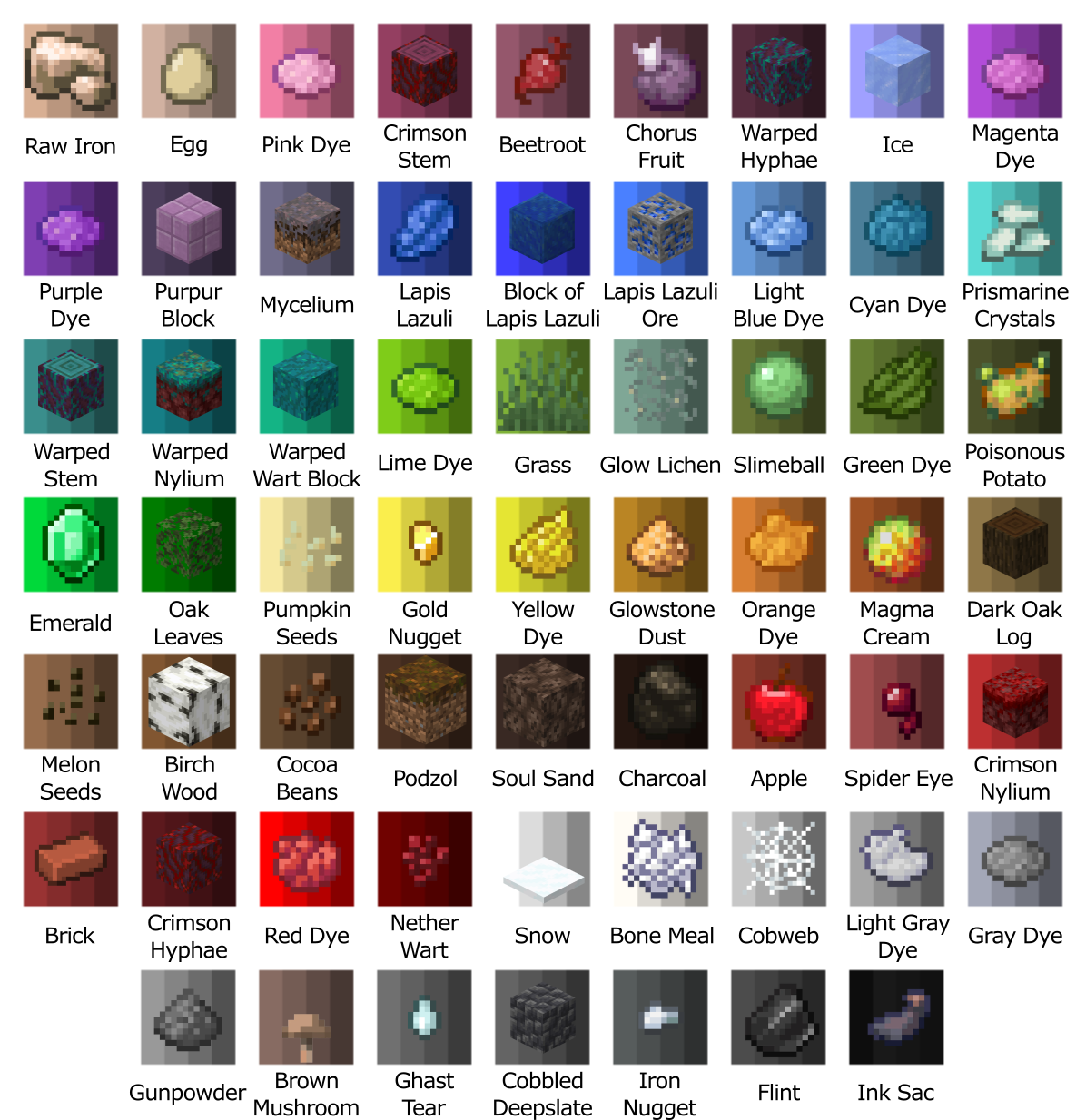
Next, you’ll need dyes. These are different from vanilla dyes as there are 61 colours you can paint with. Each colour can be made lighter once and darker twice, resulting in 4 shades per colour. Below are all the dye blocks and their colours